
How to Plan Your Live! 360 Orlando 2026 Week
Live! 360 is six conferences on one badge across six days. Here's how I'd plan the week, from picking the right pass to booking a room now that the main block is gone, to building a schedule that's worth the trip.
· Eric Boyd · 22 min read
On this page
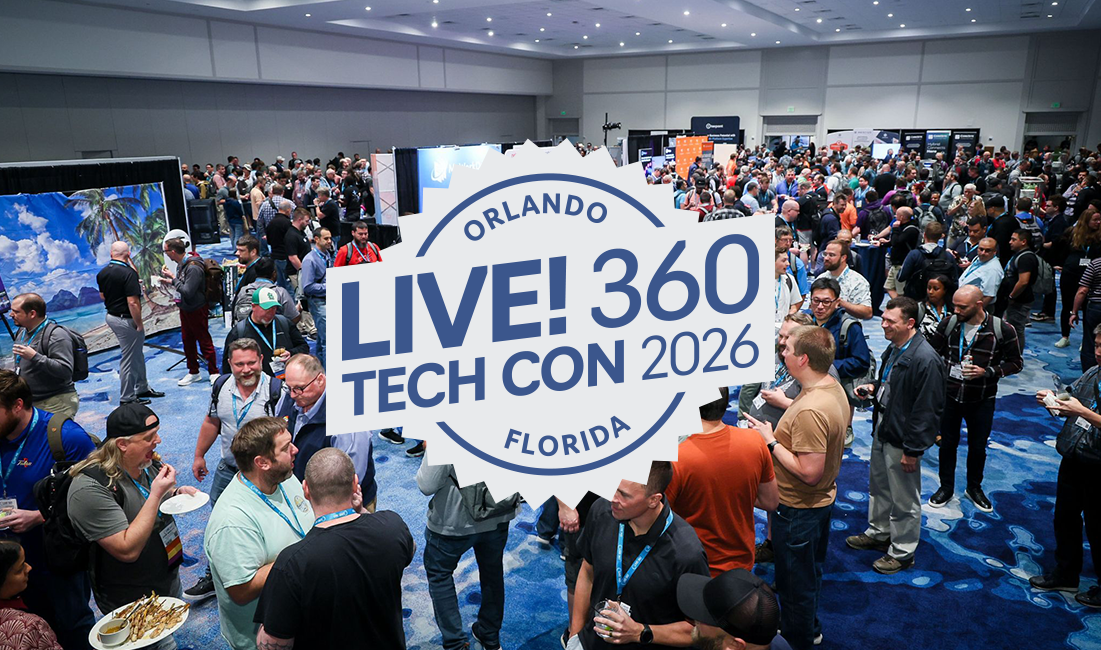
Live! 360 Tech Con is back at the Royal Pacific Resort at Universal Orlando, November 15-20, 2026, and it’s an unusual conference. It’s six co-located conferences running side by side: Visual Studio Live!, Data Platform Live!, TechMentor, Artificial Intelligence Live!, AI Enterprise Architecture Live!, and Cybersecurity & Ransomware Live! One badge gets you into all of them. That’s somewhere north of 200 sessions and 30 deep dives over six days.
The other thing that makes it unusual is what those sessions are. There’s an expo hall and there are sponsors, but the agenda isn’t a lineup of vendor product pitches. The speakers are a mix of working practitioners and members of the Microsoft product teams who build the platforms you’re running. The practitioners have shipped the thing they’re talking about, and they’ll tell you where it went sideways. The content splits along the same lines: sessions on the technology you’re running in production today and need real-world guidance on, alongside sessions on the new and emerging platforms you’re trying to make a decision about.
I’ll say up front that this is one of my favorite events of the year, and not because I’m speaking at it. It’s the combination. The conversations and the real collaboration that happens in the community around it. A venue and a location people want to travel to, with the theme parks and CityWalk a few minutes’ walk away when the day is done. The mix of practitioners and the people who build the products. The mix of what I’m running today and what’s coming next. And the sheer number of sessions and speakers to choose from.
But let’s be honest, all of that is also the problem. With six tracks running at the same time, “I’ll figure it out when I get there” is how you end up in a session that’s fine but not useful, while the one you needed is running two rooms over.
I’m teaching a two-day hands-on Python and AI lab plus three sessions this year, so I’ve spent a fair amount of time with the agenda. Here’s how I’d plan the week.
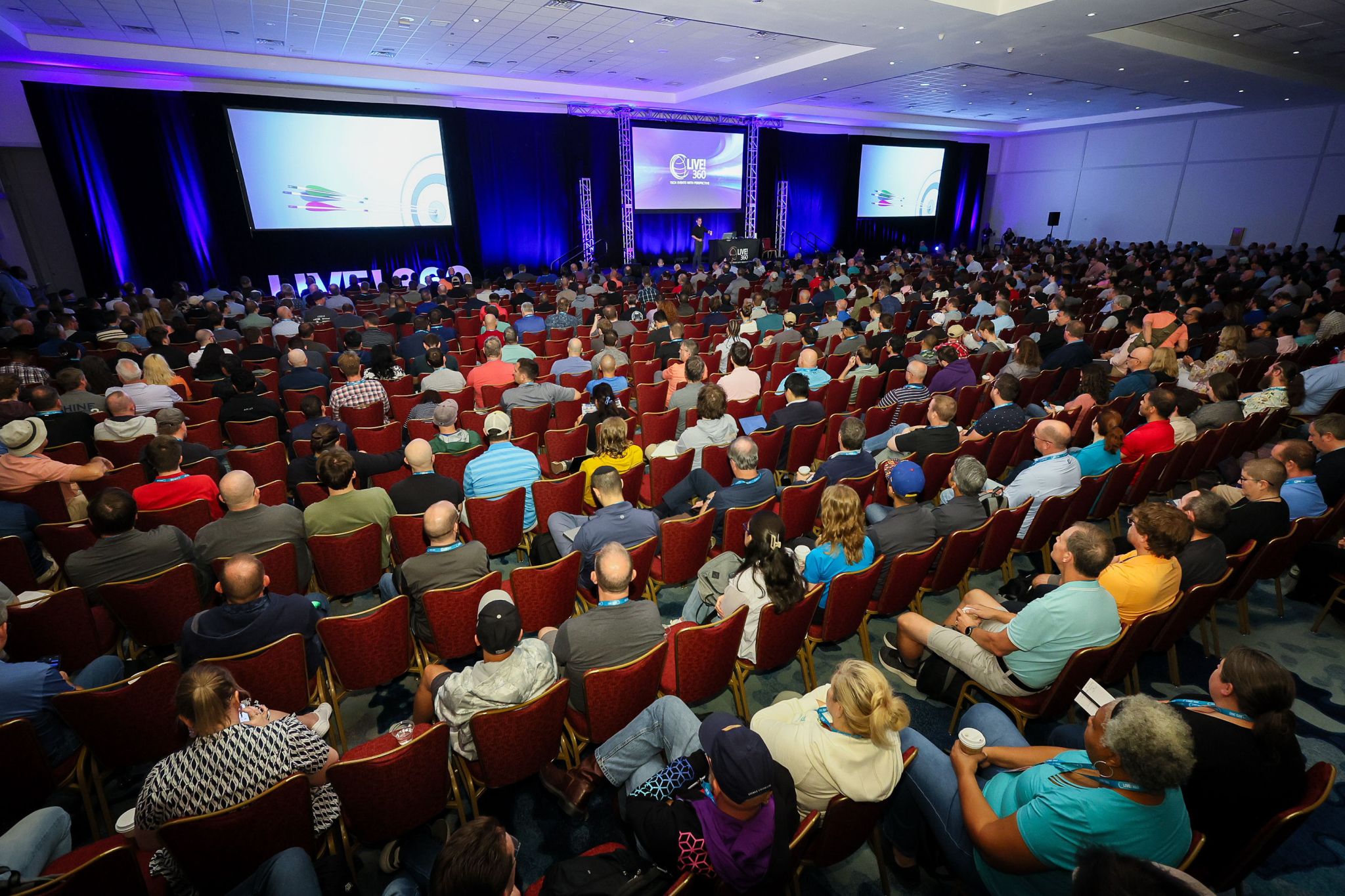
The Live! 360 keynote, the one hour in the week when all six conferences are in the same room.
What You’re Trying to Solve
Before you open the session list, get concrete about your own situation:
- What’s the hardest problem on your plate right now?
- What is your team going to be building or migrating in the next 6-12 months?
- Where are you faking it? Meaning the technology you nod along about in meetings but couldn’t implement.
- What decision are you being asked to make that you don’t feel qualified to make yet?
Write down two or three of these. They become your filter for everything below. A session that doesn’t move one of them is a session you can skip without guilt, no matter how interesting the title is.
This matters more at Live! 360 than at most conferences, because the range is so wide. You could build a week that’s entirely about Blazor, or entirely about Entra ID, or entirely about agentic AI.
Register Early to Save
Live! 360 prices in tiers, and the tiers are real money. Here’s how the 2026 pricing steps up:
- By 9/25
- $3,325
- By 10/23
- $3,425
- Standard
- $3,725
- By 9/25
- $2,825
- By 10/23
- $2,925
- Standard
- $3,225
- By 9/25
- $2,325
- By 10/23
- $2,425
- Standard
- $2,725
- By 9/25
- $1,825
- By 10/23
- $1,925
- Standard
- $2,125
- By 9/25
- $700
- By 10/23
- $750
- Standard
- $750
- By 9/25
- $650
- By 10/23
- $650
- Standard
- $650
Reading this after a deadline? Prices step up on September 25, again on October 23, and then to standard pricing for anything booked after that. Slide one column to the right for every deadline that has already passed. The Extended Summer tier in the first column closed on August 21, so the highlighted column is where you’re starting today. Waiting never saves you money.
The gap between registering early and registering the week before the conference is $500 on a 6-day pass.
A few things worth knowing:
- The 3-day pass (Tue-Thu) is the conference proper. Keynotes, breakout sessions, the expo, and all the evening events. If your budget is tight, this is the pass. It’s also the one exception to the September 25 step-up, holding at $1,825 until October 23.
- The 4-, 5-, and 6-day passes add labs and workshops on Sunday, Monday, and Friday. These are full-day, laptop-open, hands-on days, a completely different format from a 75-minute breakout.
- Bringing three or more people from the same company saves about $300 per person. If you’re trying to get a team up to speed on the same thing, this is the cheapest training you’ll buy all year. Groups of 10+ can get a custom quote.
- Alumni, education, government, and nonprofit discounts exist but require verification through the conference registrar.
Make the Case to Your Boss
If you need approval for this, don’t send your manager a link to the agenda and hope. Send them a number.
Live! 360 publishes a Sell Your Boss page with a form letter in Word and PDF that you can edit, plus the numbers they’ve collected from past attendees: 96% left with skills they could apply immediately, 80% called it a prime opportunity to connect with experts and peers, and 9 out of 10 rated the conference good or excellent.
Those help. The argument I’d make, though, is the arithmetic of the badge. A 6-day pass runs somewhere between $3,225 and $3,725 depending on when you register, and it includes two full days of instructor-led, hands-on training plus three days of conference. Price a two-day hands-on class from a training vendor and you’re usually at or above that number before you’ve attended a single conference session. Here you get the class, the conference, and five other co-located conferences for one price.
A few things that make the ask easier to approve:
- Tie it to a project, not to yourself. “We’re moving to Fabric in Q1, and there’s a full-day workshop plus a dozen sessions on it” is a budget request tied to organizational return on investment and value.
- Send three people. Beyond the group savings, it turns the week into a shared reference point your team can act on together when they get back.
- Name the deliverable. Offer to write up a summary or run an internal session for the team afterward. It’s cheap to promise, and it makes the next request much easier to approve.
- Use the deadline. “I need to book by the 25th or it costs another $100” is a useful forcing function for a manager who’s sitting on the request.
What Your Badge Includes
Worth knowing before you build the budget, because some of this replaces line items you’d otherwise pay for:
- All six conferences. Not just the one you registered under. Every session, every track, all week.
- Meals on every day you attend. Morning coffee and pastries, plus lunch, on each session or workshop day.
- The EXPO hall and every evening event. Welcome Reception, Mix and Mingle, Table Topics Lunch, Dessert Luau, Wrap Party. None of it is a separate ticket.
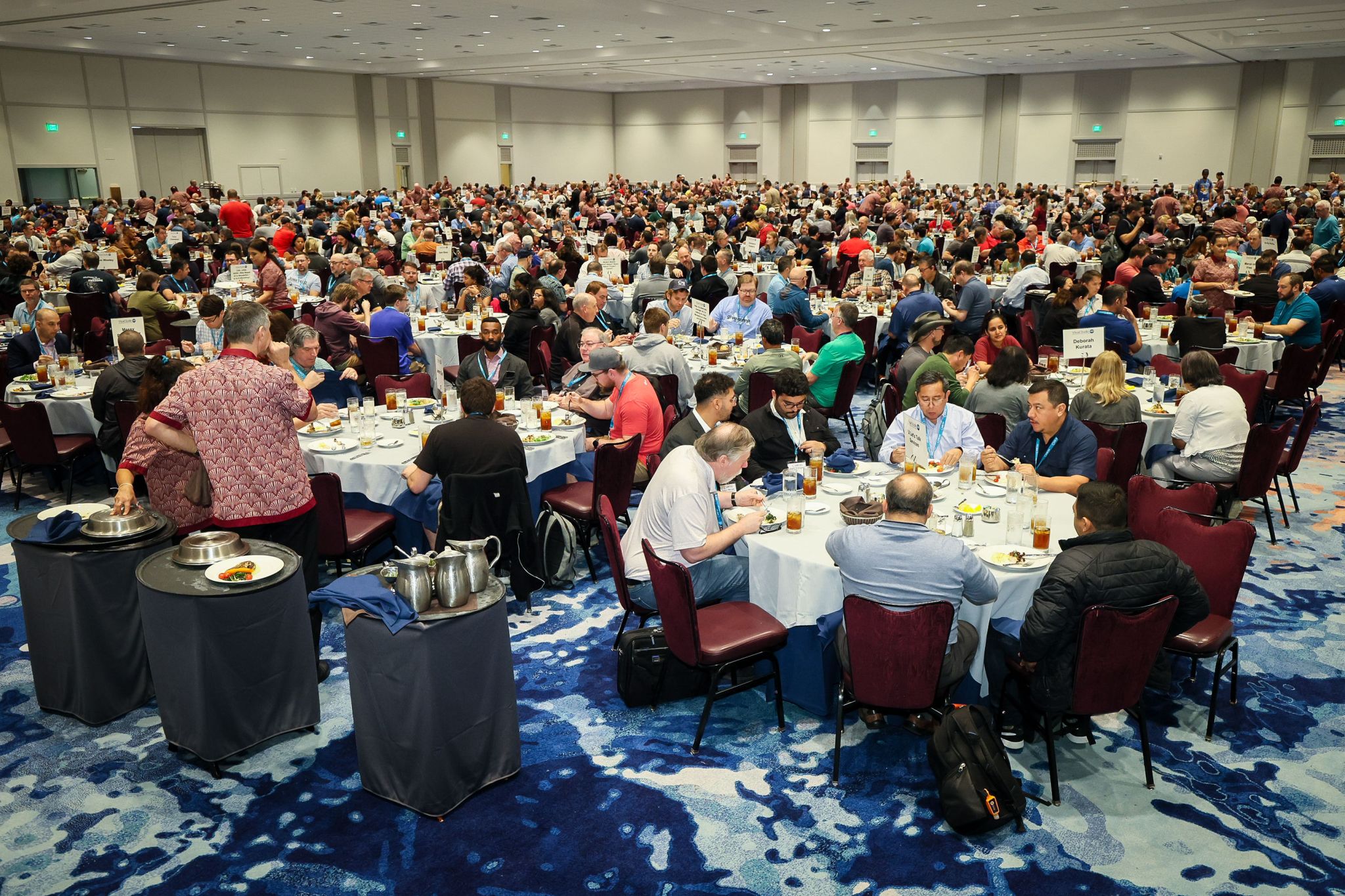
Lunch in the ballroom. It’s included on every day you attend.
One thing the badge doesn’t include, and it changes how you plan: Live! 360 isn’t a streamed conference. There’s no attendee on-demand library where you can quietly catch the session you missed. Microsoft has published a selection of Visual Studio Live! talks to the Visual Studio YouTube channel after past events, but that’s a curated subset that shows up months later.
So treat every conflict as a real choice. That’s why I’d pick a backup for every block, which I get into below, and why it’s worth building the rest of a day around the one session you can’t miss.
Book Your Hotel Now
This is the item most likely to bite you. You can’t wait until the week before to book a room. Orlando in November isn’t a soft market, and the hotels are already selling out.
Start with the bad news: the room block at the Royal Pacific, the hotel the conference is actually in, is sold out. If your plan was to stay in the same building as the sessions, you’ll need a plan B.
The best remaining option is the Loews Sapphire Falls Resort at 6601 Adventure Way, about $197 per night plus tax, with a booking cutoff of October 23, 2026. It’s a short walk or a quick water taxi to the Royal Pacific, and it includes premium internet for up to four devices, fitness center access, and the Universal Orlando guest perks.
If you can stay on a Universal property, do it. Being able to walk back to your room for fifteen minutes between sessions, and being minutes from the evening events instead of an Uber ride away, makes a real difference over a six-day week.
And if Sapphire Falls is gone by the time you read this, check the other Loews properties on the resort before you start looking off-site. They share the same walkway and water taxi network, and I’d pay the difference in nightly rate to stay on the resort.
Getting There and Around
Airport: Orlando International (MCO), roughly 30 miles from the resort.
Getting to the hotel:
- Taxi or rideshare runs about $45-50 each way.
- The Universal Superstar Shuttle is $39 round-trip, but you have to reserve at least 48 hours ahead and you need your hotel confirmation number.
- Renting a car? There’s an Avis discount code, D005872. Note that parking is $15/day for self-park and $23/day for valet, so factor that in if you’re not planning to leave the resort.
Once you’re at the resort, everything is walkable or a short water taxi ride. The Royal Pacific has a full-service Starbucks, a small market, and a few restaurants, and Universal CityWalk is a five-minute walk with more restaurants, bars, and shopping.
My take: if you’re staying on property and not making side trips, skip the car.
When to fly home: book the return flight after you’ve decided which pass you’re buying, not before. Thursday’s last sessions run until 3:45 and the Wrap Party goes 4:00-5:00, so a Thursday afternoon departure costs you the final two blocks and the send-off. If you have a Friday workshop, that day runs 8:00 a.m. to 5:00 p.m. and you’re flying out Friday night or Saturday morning.
What to pack: November in Orlando averages about 78°F during the day and drops into the 60s at night. Dress is casual. Bring a light layer for the evening events and for the conference rooms, which run cold.
Bringing Family, and the Parks
This is the part that makes Live! 360 different from a conference in a downtown convention center, and it’s a decision you want to make now rather than in November, because it changes what you book.
Live! 360 has discounted theme park tickets for attendees:
- Universal Orlando — discounted After 2:00 p.m. tickets. Buy online ahead of time, or show your conference badge at the Universal ticket desk in the Royal Pacific lobby when you arrive.
- Walt Disney World — After 1:00 p.m. and After 4:00 p.m. evening tickets, plus discounted multi-day packages you can’t get at the gate, using group code G10140186. They’re valid November 8-27, so they cover the week on either side of the conference. Advance purchase deadline is November 15, and you can also call 407-566-5600.
The After 2:00 p.m. Universal tickets are worth a look even if you’re traveling alone. Sessions wrap around 5:30, the parks are a short walk from the resort, and on a night without an official conference event, an evening in the park is very doable.
If you’re bringing family, two things worth knowing. Wednesday’s Dessert Luau explicitly welcomes families, so that’s the event to bring them to. And staying on a Loews property gets you the Universal on-property guest perks, which is one more argument for booking the room early instead of hunting for something cheaper off-site.
Then there’s the move I’d recommend: the conference ends Thursday afternoon, or Friday afternoon if you’re doing a post-conference workshop. Adding the weekend on the back end is cheap, because the flight is already paid for and you’re already there.
Know the Shape of the Week
Live! 360 has a distinct rhythm, and it helps to know it before you build a schedule.
Nine full-day labs run concurrently, 9:00 a.m.-6:00 p.m. Registration and coffee from 7:00.
View Sunday’s lab list on live360events.com
Thirteen full-day workshops, 8:30 a.m.-5:30 p.m. First Timers Forum at 5:45, Mix and Mingle at 6:30.
View Monday’s workshop list on live360events.com
Five track keynotes at 8:00, Live! 360 keynote at 11:00, Fast Focus sessions after lunch, Welcome Reception at 5:30.
View Tuesday’s session list on live360events.com
Sessions from 8:00, EXPO Lounge break at 10:45, keynote at 11:30, Table Topics Lunch at 12:30, Dessert Luau at 7:30.
View Wednesday’s session list on live360events.com
Sessions from 8:00, track panels at 11:00, DJ Lunch at noon, last sessions at 1:00 and 2:30, Wrap Party at 4:00.
View Thursday’s session list on live360events.com
View Friday’s workshop list on live360events.com
The Sunday labs cover SQL Server 2025, .NET upgrades, enterprise PKI, the Microsoft Agent Framework, C# fundamentals, incident response, AI agents, and my Python and AI lab. Monday’s workshops cover Blazor, Fabric, SQL Server HA, Active Directory in hybrid environments, Defender for Cloud, agentic AI with GitHub, GenAI beyond OpenAI, red and blue teaming, and quantum cryptography. Friday’s workshops cover a web development masterclass, secure AI engineering and DevOps for .NET on Azure, PostgreSQL for the SQL Server professional, building agents with Copilot Studio, end-to-end MCP server development in .NET, enterprise-grade AI agents with the Microsoft Agent Framework, and identity architecture with Entra ID.
Six Conferences, One Badge
Here’s the part people underuse. Your badge isn’t scoped to one conference. You can sit in a Cybersecurity & Ransomware Live! session in the morning and a Data Platform Live! session in the afternoon, and nobody stops you at the door.
I’d deliberately spend at least one session block outside your home track. A few suggestions on where the seams are interesting:
- Developers should sit in on a TechMentor or Cybersecurity session. A lot of the production incidents that ruin your quarter start in identity, networking, or configuration rather than in application code. An hour with people who think about Entra ID and Defender for a living is worth it.
- IT pros and architects should sit in on a Visual Studio Live! or AI Live! session. The teams you support are shipping AI features whether or not you’ve been consulted, so knowing what an agent framework does is part of the job now.
- Everyone should sit in on an AI Enterprise Architecture Live! session. This is the track that asks the “should we” and “how does this hold together” questions instead of the “how do I call this API” question.
Cross-track sessions are also where the practitioner-plus-product-team mix pays off most. You end up in a room where the person on stage builds the platform and half the audience runs it in production, and you’ll get answers you won’t find in the docs. Show up with real questions.
The session codes tell you which conference a session belongs to:
The Keynotes
Tuesday morning at 8:00 has five concurrent track keynotes, so you have to pick one:
AI Live! & AI Enterprise Architecture Live!
Data Platform Live!, TechMentor, and Cybersecurity & Ransomware Live! keynotes are still to be announced.
Jeff’s is the one I’d point you at if you’re building anything agentic. Tool call sprawl is the failure mode nobody warns you about until you’re debugging it in production.
Then at 11:00 on Tuesday, the whole conference comes together for the main keynote: Anybody Can Use Agents & AI to Build Anything with Kayla Cinnamon and Jon Galloway from Microsoft. It covers how AI tools and agents are reshaping development from brainstorming through debugging, and how organizations are scaling agentic development while keeping quality, governance, and control intact.
There’s a second Live! 360 keynote Wednesday at 11:30, still to be announced.
Start with Labs and Workshops
If you have a pass that includes Sunday, Monday, or Friday, choose those first, before you think about breakouts. Here’s why: a full-day lab is 8-9 hours on one topic with an instructor in the room and your laptop open. You’ll learn more in that one day than in six 75-minute sessions, and it’s the part of the week you can’t replicate by reading a blog post later.
The trade-off is that it costs you a whole day. So pick the topic you most need to be able to do, or the one you’re most curious about but haven’t had time to explore yet.
My own is the 2-Day Hands-On Lab: Elevate Your Career with Python and AI, running Sunday and Monday. Day 1 is Python from the ground up including environment setup in VS Code, the language itself, data structures, testing, NumPy, Pandas, Matplotlib, notebooks, Microsoft Fabric, and web APIs with Flask and FastAPI. Day 2 applies it to AI: search, knowledge representation, optimization, machine learning, neural networks, and NLP with Scikit-learn and TensorFlow, then Azure Machine Learning, and finally generative AI and LLMs with LangChain and OpenAI.
No prior Python or AI experience needed for Day 1. Bring a laptop with admin rights, VS Code, and Git already installed, and do that install before you fly rather than in the room at 9:00 a.m.
Build the Rest of Your Schedule
The session list is browsable by day:
- Sunday, November 15 — Hands-On Labs
- Monday, November 16 — Workshops
- Tuesday, November 17
- Wednesday, November 18
- Thursday, November 19
- Friday, November 20 — Post-Conference Workshops
It’s also filterable in ways the day view doesn’t advertise, and those filters are much better starting points than scrolling through six days of sessions:
- By track. There are 35+ named tracks across the six conferences, including Agents & AI Engineering, Database Development, Full Stack Web Development, Core Infrastructure & Identity, and Red Team Tactics. Browse the track list.
- By role. There are curated views for developers and engineers, enterprise architects, security professionals, database administrators, IT operations and infrastructure, data and analytics professionals, AI and machine learning professionals, cloud and platform engineering, DevOps, IT leadership, and agile.
Start with the role filter that matches your job, then deliberately break out of it using the cross-track suggestions above.
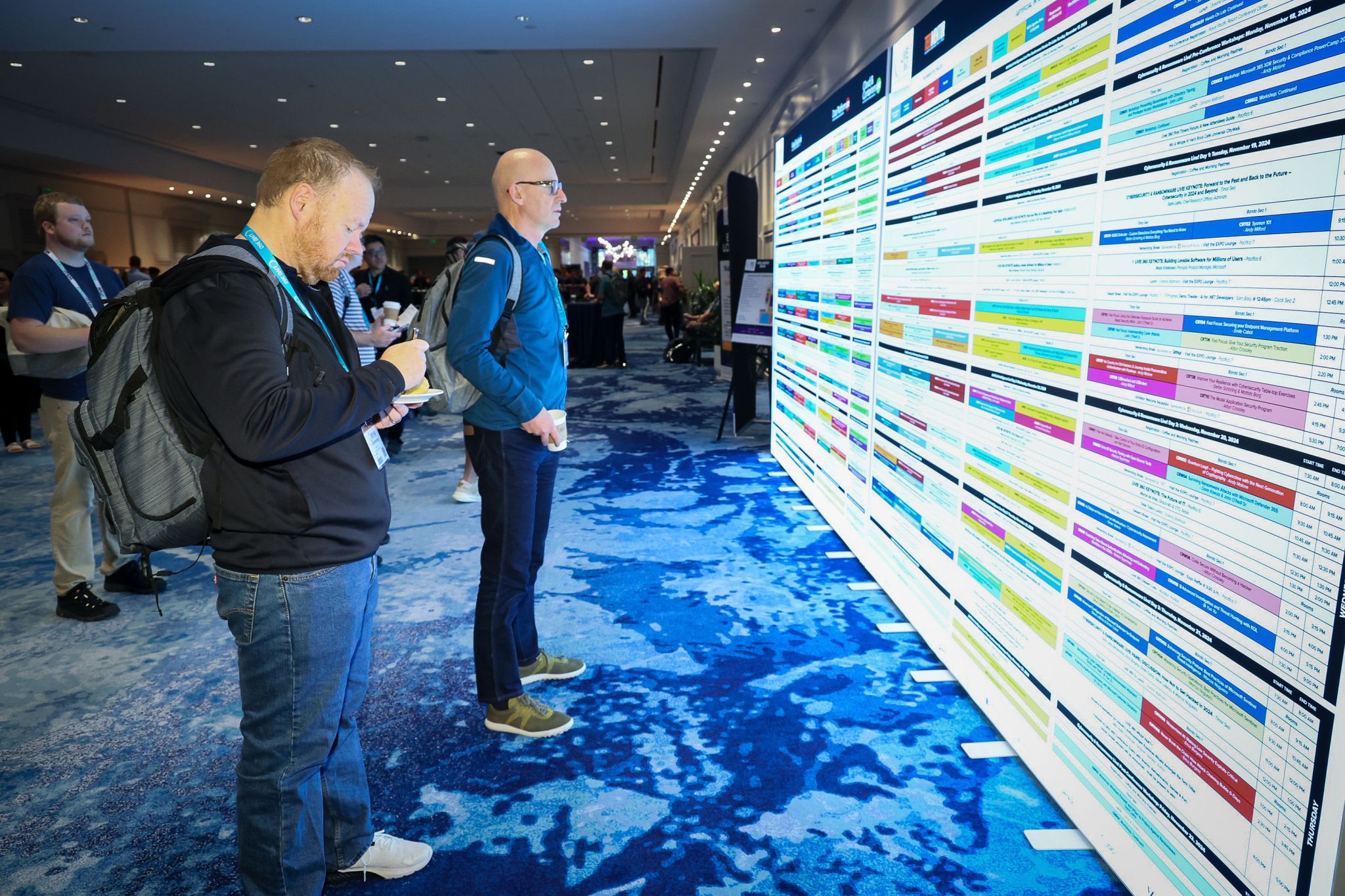
The printed agenda wall, useful for a quick check between sessions.
A few habits that make this go better:
Read the descriptions, not just the titles. Titles are written to be catchy, and a catchy title isn’t a reliable summary. I’ve walked into sessions expecting one thing based on the title and found something completely different once the talk started. The abstract tells you the level, the assumed background, and what you’ll walk out knowing. It takes an extra thirty seconds per session, and I’d say it’s the highest-return habit on this list.
Pick a first choice and a backup for every block. Sessions occasionally get moved or fill up, and a room that’s standing-room-only is a rough hour. Having a backup means you don’t lose the block deciding.
Don’t feel like you need to be in a session in every slot. Be flexible and leave space for a conversation that runs long, for the expo, or just to sit down and write notes while they still make sense.
Balance “where things are going” against “what I can use Monday.” The agenda deliberately covers both, the technology you’re already running and the platforms that are still emerging, so it’s easy to load up on one and get none of the other. A week of pure vision leaves you inspired and empty-handed. Aim for a mix.
Note the Fast Focus sessions on Tuesday. These are 20-minute rapid-fire sessions in the early afternoon. Low commitment, good way to sample a topic or a speaker you don’t know.
Check the Thursday 11:00 a.m. panels. Every track runs a panel discussion in that block, and panels are where speakers disagree with each other in public. I usually get more out of those than a prepared talk.
Browse the speaker list. With 130+ speakers, sometimes the right filter is “who do I want to learn from” rather than “what topic.” Look at who each speaker is, too: a practitioner session and a Microsoft product team session on the same technology answer different questions, and you probably want one of each.
Don’t Skip the Social Events
I know. You’re tired, your inbox is full, and the hotel room is right there. Go anyway. These are where the conference stops being a series of presentations and starts being a set of people you know.
The Welcome Reception, in the EXPO hall on Tuesday evening.
- Live! 360 First Timers Forum — Monday, 5:45-6:15 p.m. If this is your first Live! 360, start here. Philip Japikse and the event staff cover how to choose sessions, what to expect, and how to start conversations. Thirty minutes well spent.
- Mix and Mingle @ Hard Rock Cafe Universal CityWalk — Monday, 6:30-8:00 p.m., upstairs patio. Appetizers are complimentary, drinks are at the bar. This one’s early in the week, which is exactly why it’s valuable — the people you meet Monday are people you’ll keep running into Tuesday through Thursday.
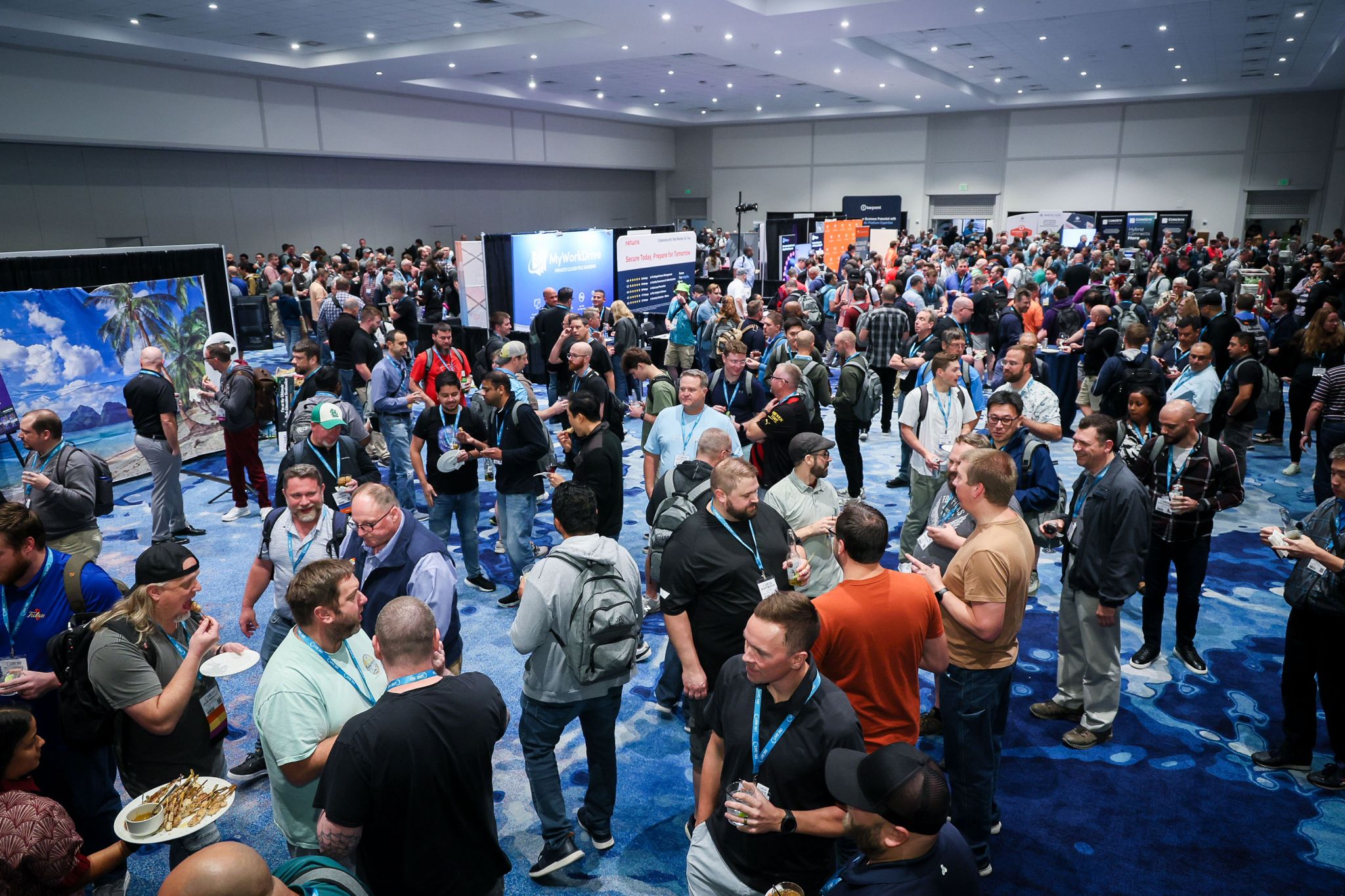
- Live! 360 Welcome Reception — Tuesday, 5:30-7:00 p.m. in the EXPO hall, sponsored by Microsoft. Drinks, snacks, and the exhibits. A good time to talk to vendors when you have a specific problem, rather than collecting pens.
- Table Topics Lunch — Wednesday, 12:30-1:30 p.m. Tables are organized by language, technology, and interest, and there are designated speaker tables. Find the table for the thing you’re stuck on and talk it through with people who’ve been stuck on it too. Per minute invested, I think it’s the best hour of the week.
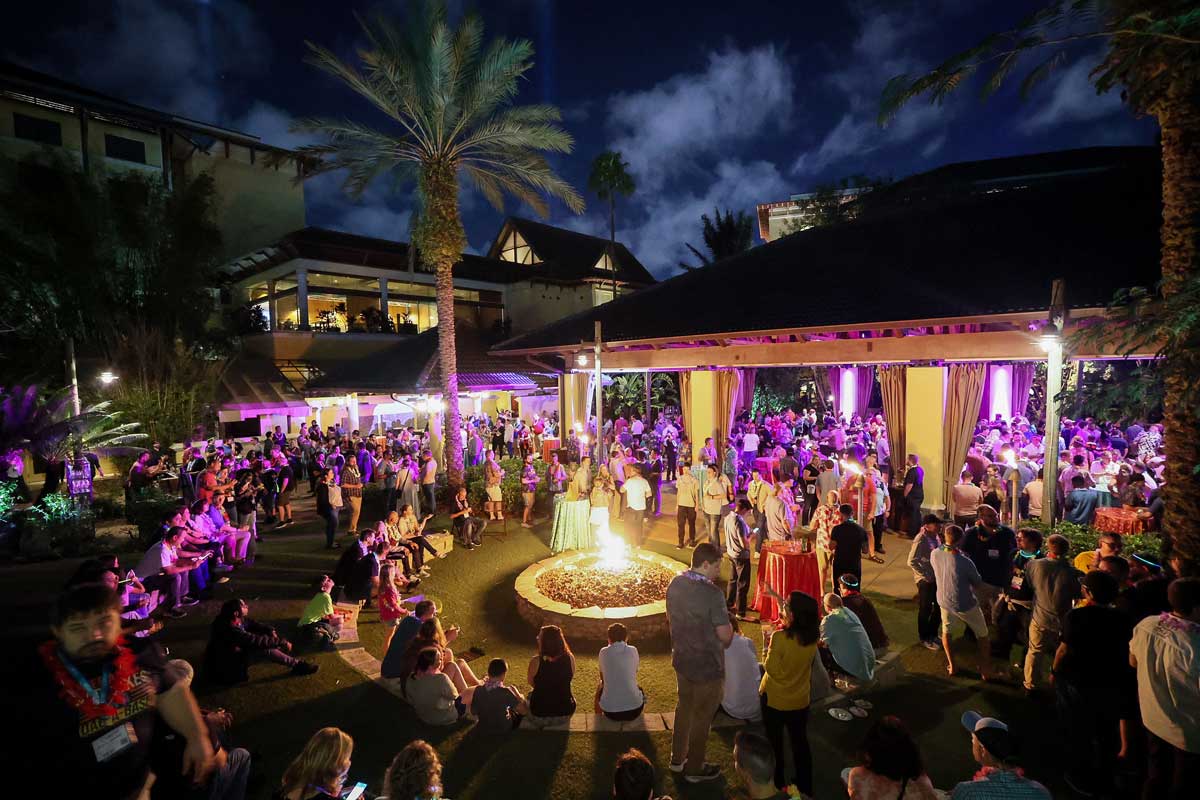
- Live! 360 Dessert Luau — Wednesday, 7:30-9:00 p.m. Desserts, tropical cocktails, Polynesian dancers, live music, and fire performers.
- Wrap Party — Thursday, 4:00-5:00 p.m., in the EXPO hall. A closing presentation with Q&A, plus games, a photo booth, and refreshments. It’s the send-off, and the last chance to trade contact info with people you’ve been meaning to catch all week. Don’t book a flight that makes you skip it.
The Dessert Luau at the Wantilan Pavilion on Wednesday night.
The Hallway Track
The best conversation I have at any conference is almost never on the agenda. It’s someone I sat next to at lunch describing a problem that turns out to be exactly the problem I’m working on, or a speaker who has ten minutes after their session and is happy to go deeper on the thing you wanted to ask about.
You can’t schedule that, but you can leave space for it. So don’t book yourself solid, say yes when someone suggests grabbing coffee, and when you meet someone worth staying in touch with, connect on LinkedIn right there instead of intending to later. You won’t do it later.
Live! 360 does give you one scheduled version of this, and it’s badly underused: the Speaker Conversation Cabana runs Tuesday through Thursday in the main conference hall, near South China Sea. It’s exactly what it sounds like: speakers sitting somewhere you can find them, available for the question you didn’t want to ask in front of a full room. If a session left you with something you’re still chewing on, that’s where to take it.
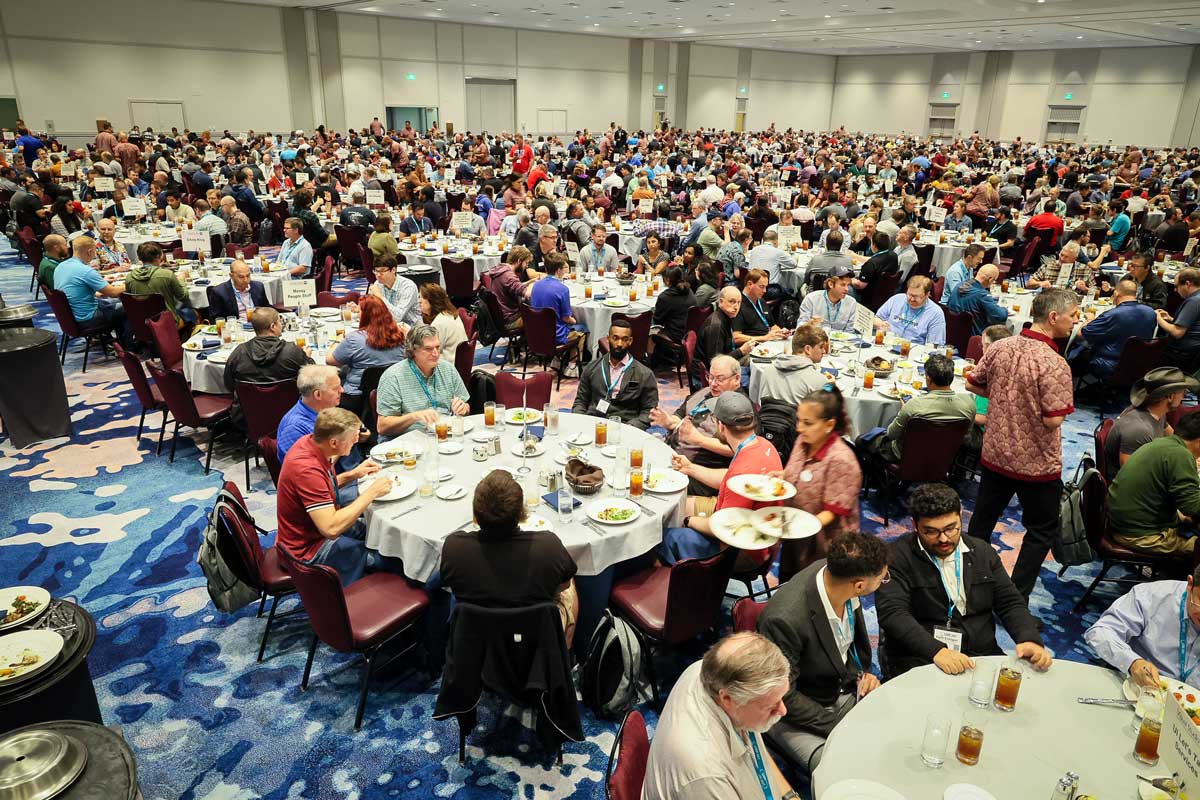
Table Topics Lunch, with each table marked by topic.
Your Short List
If you do nothing else from this article, do these six things:
- Register before the next tier deadline. Prices step up on September 25 and again on October 23. Apply priority code BOYD to take another $500 off whichever tier you land in.
- Book the room today. The Royal Pacific block is already gone, Sapphire Falls has an October 23 cutoff, and it will sell out well before the cutoff arrives.
- Book flights around the agenda, not the other way around. Nothing departing before Thursday evening, and Friday night or Saturday if you’re doing a post-conference workshop.
- Choose your Sunday, Monday, or Friday first. The full-day labs and workshops are the part of the week you can’t reproduce later, and everything else schedules around them.
- Read the prerequisites a week out and install everything at home. Every hands-on day lists them on its session page, and conference Wi-Fi isn’t where you want to discover that.
- Build a first choice and a backup for every block before you get on the plane. Nothing is recorded, so plan the conflicts out in advance.
Everything else, like the park tickets, the shuttle reservation, and the LinkedIn connections, gets easier once those six are done.
Where to Find Me
I’m teaching and speaking across both AI conferences this year:
Sunday 9:00 a.m.-6:00 p.m.
Monday 8:30 a.m.-5:30 p.m.
Tuesday 1:30-2:20 p.m.
With Rockford Lhotka and Ashley Rivera. No slides, three real scenarios, three architects arguing on a whiteboard.
Tuesday 2:45-4:00 p.m.
Full details are on my Live! 360 Orlando 2026 event page.
If you’re going to be in Orlando, come say hello after a session, at the Table Topics Lunch, or at any of the evening events. You can also reach out ahead of time:
See you at the Royal Pacific in November.